
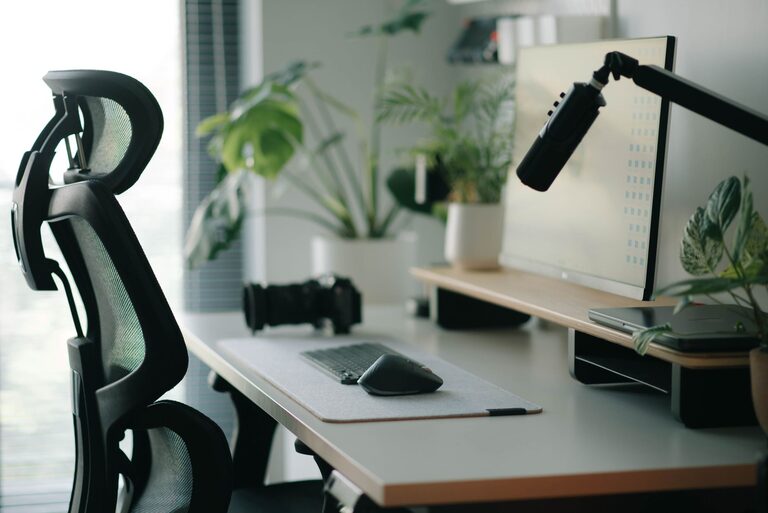
Creating an ideal desk setup is essential for maintaining focus and comfort throughout your workday. Whether you work from home or in an office, your workspace can greatly influence your productivity, posture, and overall well-being. In this guide, we’ll explore practical tips for organizing and arranging your desk in a way that supports both concentration and comfort.
Why a Good Desk Setup Matters
A well-designed desk setup helps reduce distractions, decreases physical strain, and fosters a productive mindset. When your workspace is clutter-free and ergonomically sound, you can work longer without discomfort or fatigue. Plus, a comfortable environment can help reduce stress and promote better mental clarity.
Choosing the Right Desk and Chair
Select an Ergonomic Chair
Your chair plays a major role in comfort. Choose one with adjustable height, lumbar support, and comfortable padding. Make sure your feet can rest flat on the floor or on a footrest, and your knees are at a 90-degree angle.
Pick a Desk that Fits Your Space and Needs
A desk should be large enough to hold your essential tools but not so big that it encourages clutter. Consider desks with adjustable height or options for both sitting and standing positions to reduce prolonged sitting.
Monitor Placement for Eye Comfort and Focus
Position your monitor directly in front of you at about an arm’s length away. The top of the screen should be at or just below eye level to avoid neck strain. Using a monitor stand or adjustable arm can help achieve the correct height.
If you use multiple screens, arrange them so your head stays mostly centered to avoid turning your neck frequently.
Organize Your Desk for Maximum Efficiency
Keep Essential Items within Reach
Place items you use often, like pens, notebooks, or your phone, where you can easily reach them without stretching. This reduces interruptions to your workflow.
Declutter Regularly
A clutter-free desk helps clear your mind. Use drawer organizers, trays, or shelves to store less frequently used items.
Use Cable Management Tools
Tidy cables can make your desk look cleaner and prevent tangling. Cable clips, sleeves, or boxes help keep cords organized.
Lighting for Comfort and Focus
Good lighting reduces eye strain and helps maintain alertness. Use natural light when possible, but avoid glare on your screen. A desk lamp with adjustable brightness and color temperature can complement overhead lights and improve visibility.
Add Personal Touches Mindfully
Decorating your desk with a few personal items like a plant, photo, or artwork can make your workspace inviting, but avoid overcrowding. These items can provide motivation and reduce stress without causing distractions.
Incorporate Movement and Breaks
No matter how perfect your desk setup, sitting for long hours can be harmful. Remember to stand, stretch, or walk every 30 to 60 minutes. If your desk allows, alternate between sitting and standing to promote circulation and reduce fatigue.
Use Supportive Accessories
Keyboard and Mouse
Choose an ergonomic keyboard and mouse designed to reduce wrist strain. Position them so your elbows rest comfortably at your sides.
Wrist Supports
Consider wrist rests or pads to keep wrists in a neutral position while typing or using the mouse.
Footrests
If your feet don’t touch the floor comfortably, use a footrest to maintain proper posture.
Maintain Good Posture
Sit with your back straight and shoulders relaxed. Your elbows should form approximately a 90-degree angle when typing. Avoid slouching or leaning forward to prevent back and neck pain.
Final Thoughts
An effective desk setup balances comfort, organization, and ergonomics to support both your body and mind. Taking the time to arrange your workspace thoughtfully can lead to better focus, reduced discomfort, and increased productivity. Try implementing these tips gradually and adjust based on what feels best for your work style.
Remember, your workspace is a tool to help you succeed—make it a comfortable and inspiring place to spend your work hours.